Image masking software has improved a lot. That much is true.
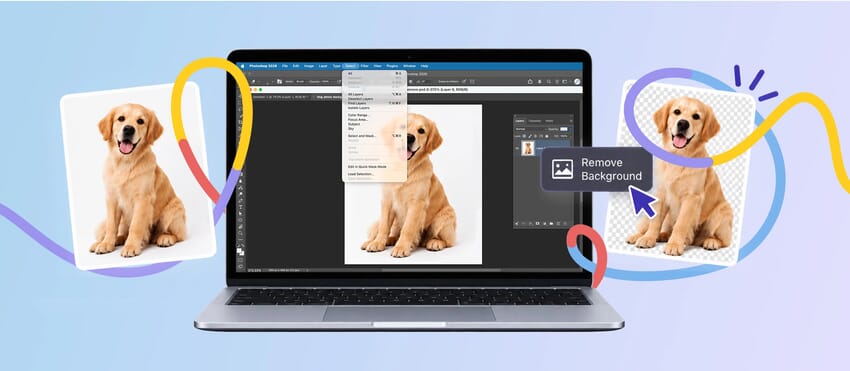
It is faster, easier to access, and better at getting a rough cutout started than it used to be. For simple images, that can save a real amount of time. But faster is not always the same as finished.
That is usually where people start expecting too much from it. A masking tool can separate the subject from the background. That does not always mean the edge is ready to use. Once the image is going live, sitting on white, or being viewed more closely, the weakness tends to show up in the same places: soft edges, fine detail, transparency, and anything that needs to look believable rather than just removed.
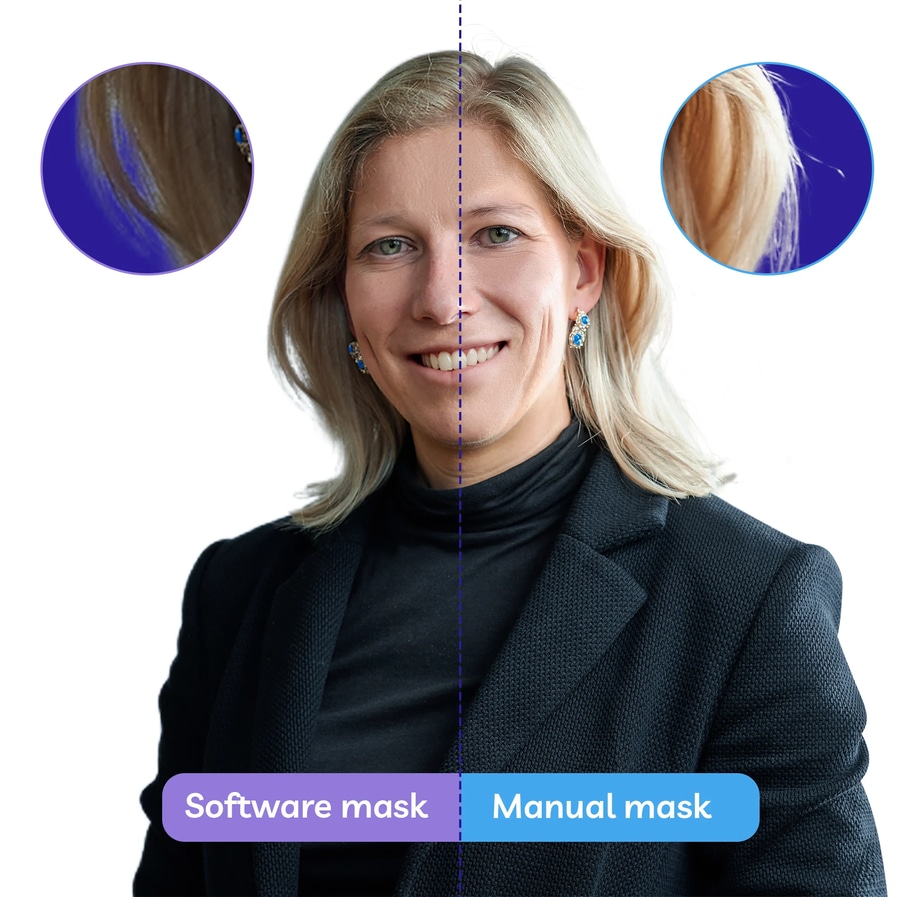
What Image Masking Software Is Good At
Software is often most useful at the start of the job.
It can help with:
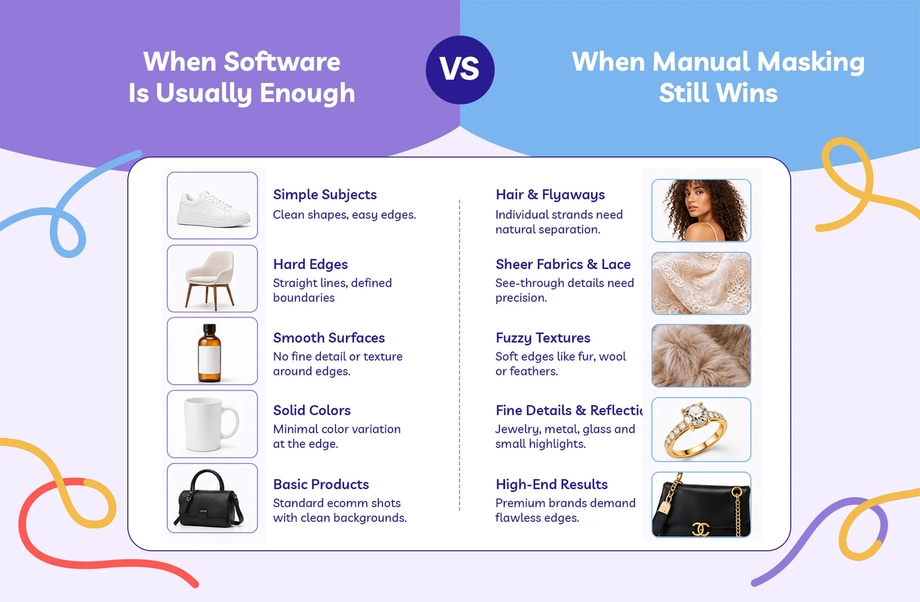
- separating a clear subject from a simple background
- speeding up rough selections
- getting a first pass in place quickly
- handling low-stakes drafts or mockups
- reducing manual work on simpler images
That is why image masking software has become part of so many editing workflows. It can do the repetitive setup work faster than a person, especially when the edge is clean and the image is not asking for much subtlety.
If the subject is hard-edged, well lit, and clearly separated from the background, software can often get you close enough for a first pass.
Where Software Usually Starts to Struggle
The trouble starts when the edge stops being simple.
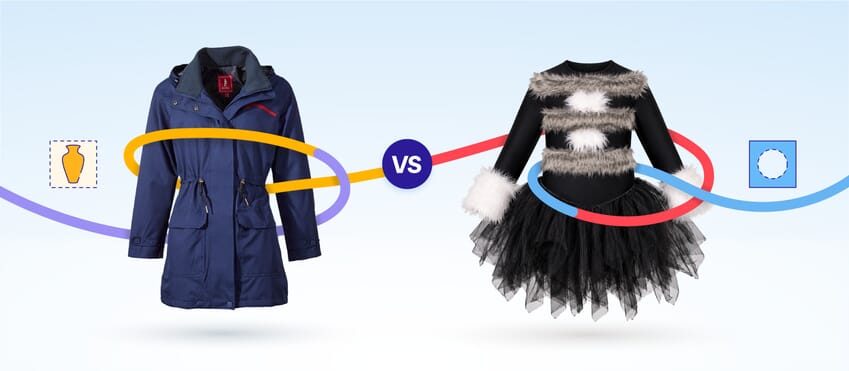
That usually means hair or fur, lace, mesh, or netting, soft fibres or textured trims, sheer or semi-transparent materials, low-contrast edges, or any image where the subject and background overlap too closely in tone.
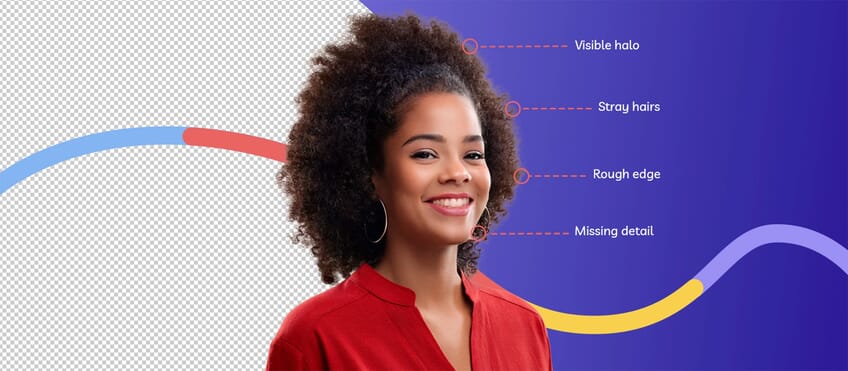
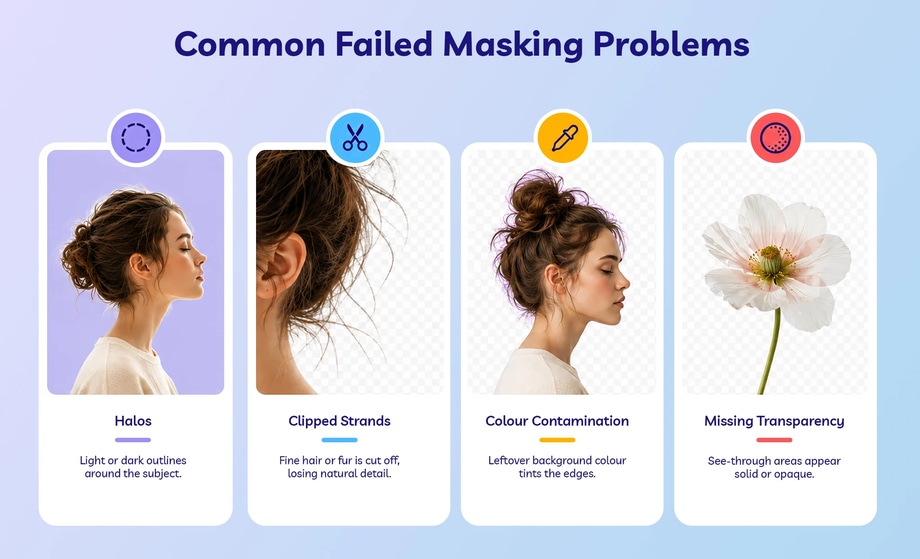
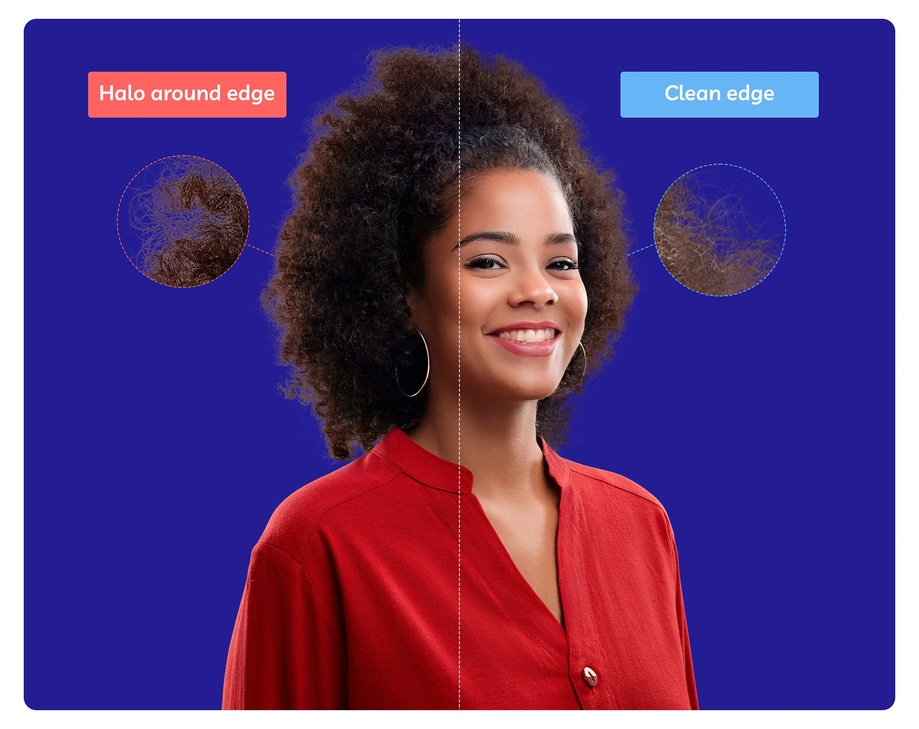
These are the areas where software can still get the broad shape right but lose the detail that makes the image feel believable. The cutout may look acceptable at first glance, but once you zoom in or place it on the final background, the edge can start to look clipped, crunchy, flattened, or slightly fake.
Why “Good Enough” Depends on What the Image Is For
This is where a lot of the debate goes wrong.
People often ask whether image masking software is good or bad, as if there is one answer for every image. The better question is what the image actually needs to do next.
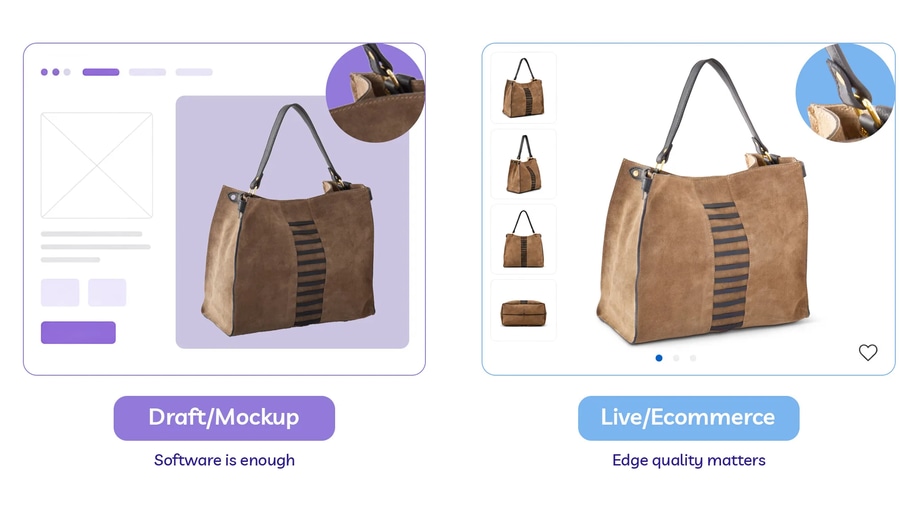
If the cutout is only for a rough draft, an internal mockup, a quick concept, or a placeholder layout, software may be more than enough.
If the cutout is for an ecommerce listing, a brand asset, a campaign image, a catalogue, or a product image that will sit on white or under zoom, the edge usually needs more than speed. It needs to look right.
What Manual Masking Still Does Better
Manual masking still tends to win on the part the software struggles to fake: judgement.
A person can tell when the edge has been cut too tightly, when a halo still needs removing, when fine detail has disappeared, when transparency has been lost, when the subject no longer feels natural on the background, or when one part of the mask needs a different treatment from another.
Software is good at speed and consistency of process. Manual work is better at deciding what the image still needs once the first cutout is in place.
That is why manual masking still matters. It is not there to repeat what the software already did. It is there to finish the edge properly.
Why Software and Manual Work Usually Work Best Together
In real editing work, it is rarely a pure software-versus-human choice.
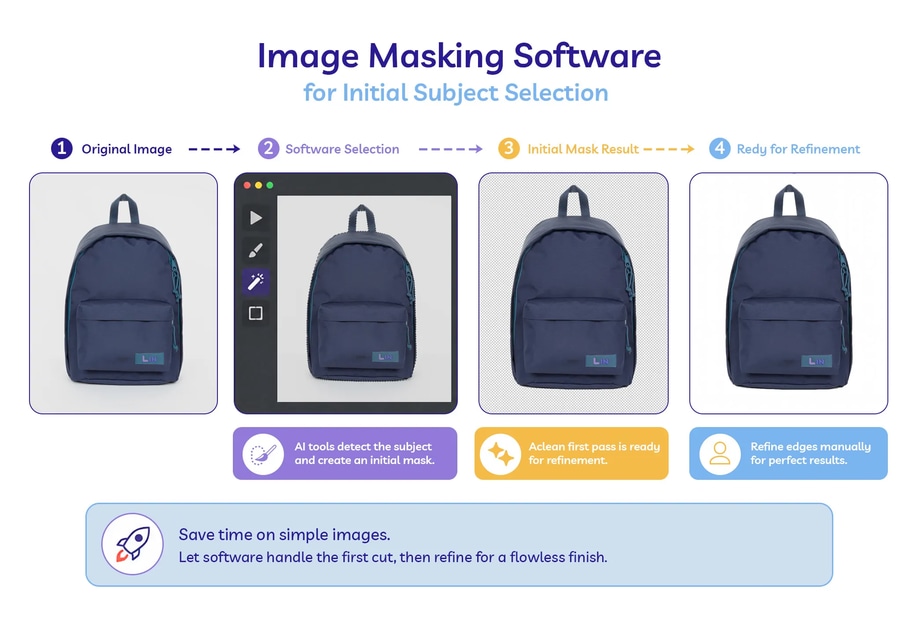
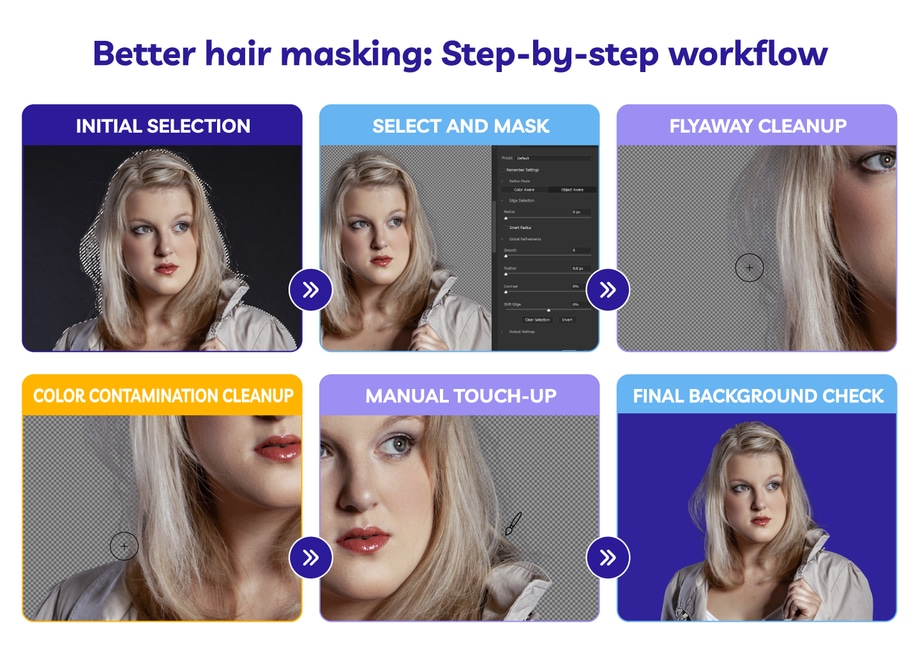
The most practical workflow is often:
- use software to get the first selection moving
- refine the weak areas manually
- check the edge on the final background
- clean up the parts that still look wrong
That is often the best role for the software in the first place. It helps with the setup. It does not remove the need for judgement on the difficult parts.
For simple images, that extra manual step may be minimal. For complex edges, it is often the difference between a cutout that merely works and one that actually looks finished.
Where Software Still Needs Help
Software usually needs help when the edge is soft, fine, or partly transparent, when the image is going live, when the cutout needs to hold up under zoom, or when the subject needs to keep its softness, texture, or realism.
That is especially true for beauty, fashion, textured products, and any image where the edge is part of what makes the picture feel right in the first place.
Software can get close. Manual refinement is usually what stops the edge from looking clipped, flattened, or slightly fake.

Image masking software is useful. It just is not the full answer for every image.
If the edge is simple and the image is low-stakes, software may be enough on its own. If the edge is soft, detailed, or easy to make look wrong, manual work still tends to do the part that matters most.
The real difference is not whether the background is gone. It is whether the edge still looks finished afterwards.