AI clipping path tools are quick. That is the appeal.
Upload an image, wait a few seconds, and the background is gone. For some jobs, that is enough. For others, it is where the problems start.
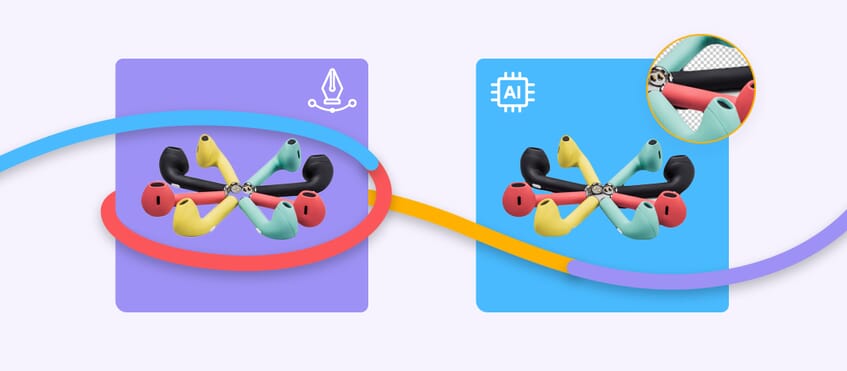
The gap between an AI clipping path and a hand-drawn clipping path usually shows up in the edges. A simple product on a plain background may come out looking fine. A more difficult image can come back with rough outlines, missing details, or that familiar cut-and-paste look.
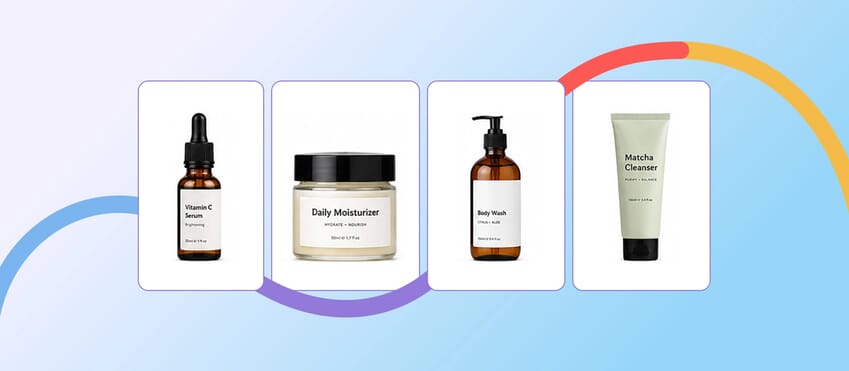
If you’re working on ecommerce product images, the difference is hard to ignore. A clean cutout does not just look better. It makes the product feel more polished and more trustworthy.
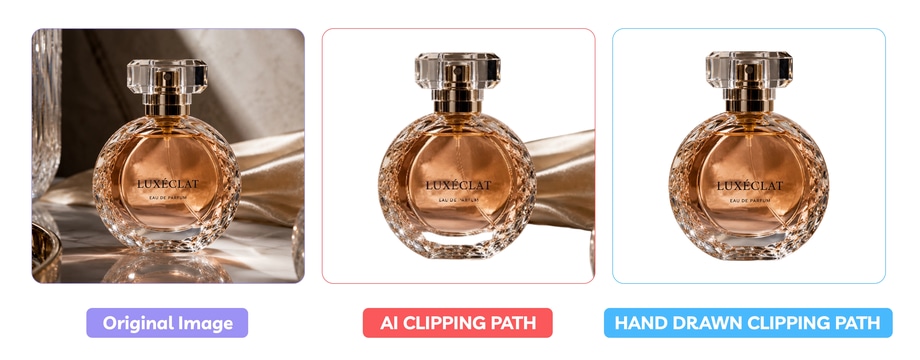
This guide looks at where clipping path AI tools are useful, where they fall short, and why hand-drawn clipping paths still give better results when product cutout quality is the priority.
What Is an AI Clipping Path?
An AI clipping path is an automated cutout created by software rather than drawn by a human editor.
Most tools do not build a traditional vector path the way a retoucher would. Instead, they detect the subject, separate it from the background, and generate a cutout automatically. That is why AI background removal is often bundled into the same conversation.
The result can be good on:
- simple objects
- clear contrast between subject and background
- straight or hard edges
- low-stakes images where speed matters more than precision
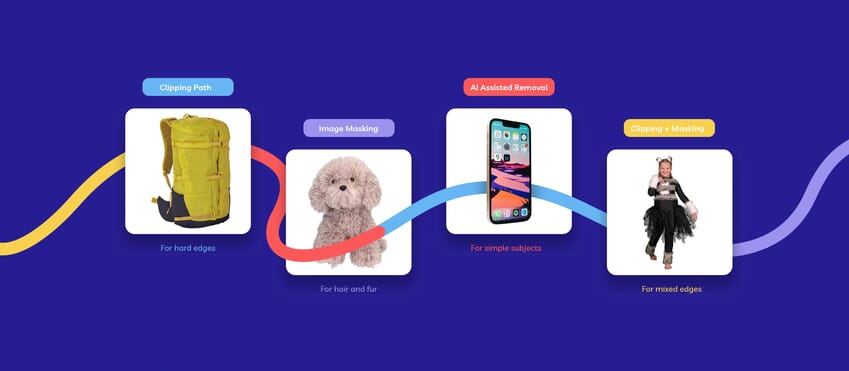
That is why AI tools are often used for quick mockups, rough internal drafts, or a first pass before proper editing.
What Is a Hand-Drawn Clipping Path?
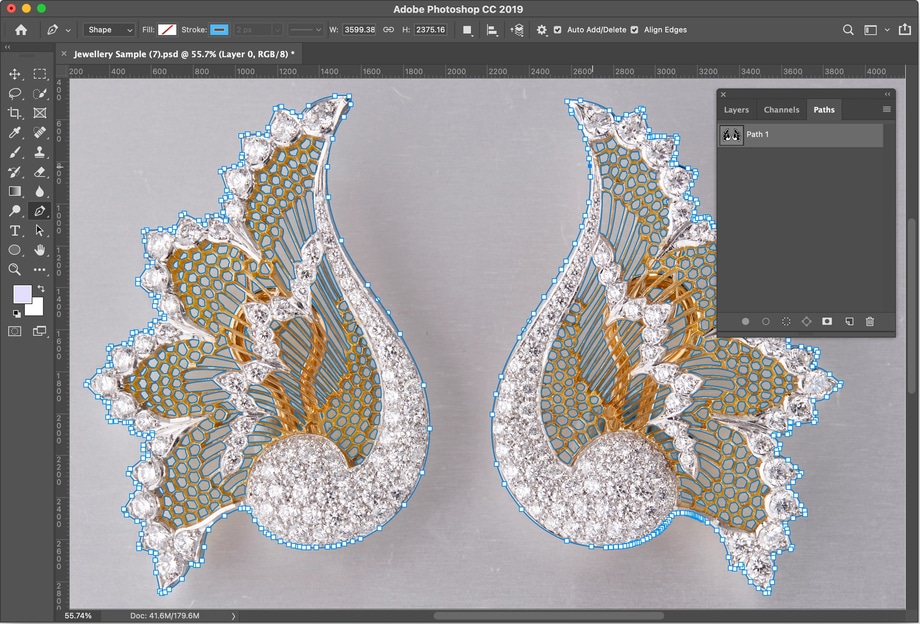
A hand-drawn clipping path is created by a real editor, usually with the Pen Tool, by tracing the edge of the subject manually.
If you want to explore the wider selection and masking features available in Photoshop, Adobe’s official Photoshop overview gives a useful starting point.
It takes longer, but it gives the editor control over:
- edge accuracy
- shape consistency
- small details
- smooth curves
- the final cutout quality
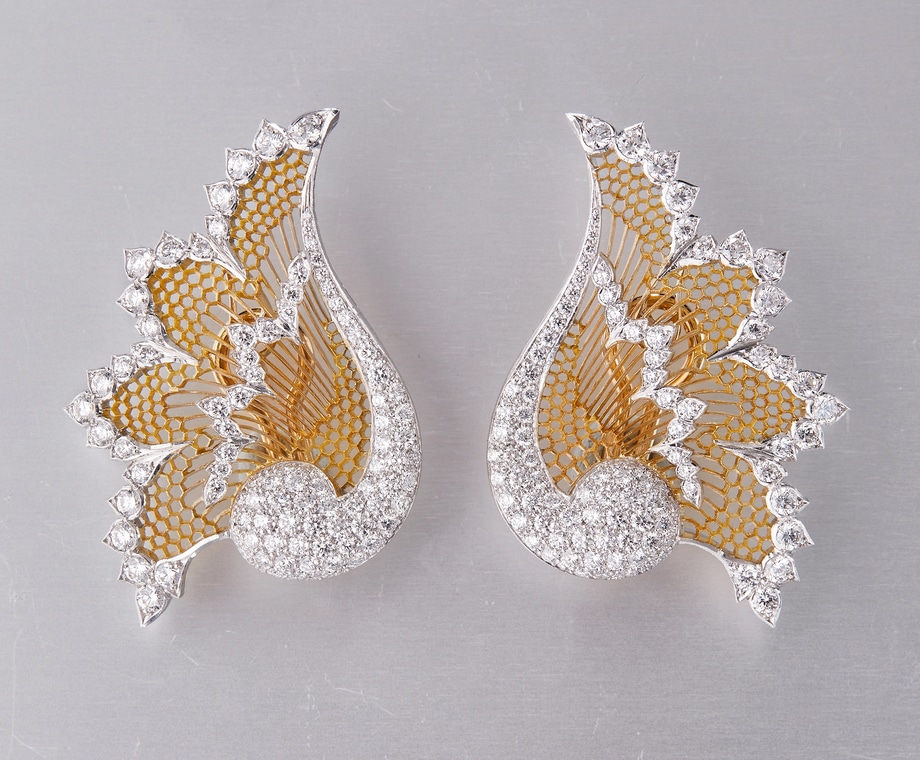
That level of control is most useful in product photography. A shoe, watch, bottle, jewelry, or packaging image needs to look clean right around the edge, not just roughly separated from the background.
If you need export-ready ecommerce images, a clipping path service usually gives you a cleaner, more dependable finish than an automated cutout.
Where AI Clipping Path Works Well
AI does have a place.
For straightforward product images, it can be useful when:
- the background is plain
- the product shape is simple
- the lighting is clean
- there are no fine edge details
- you need a quick first pass
A plain bottle on white. A simple box. A basic object with strong contrast. Those are the kinds of images where AI can save time.
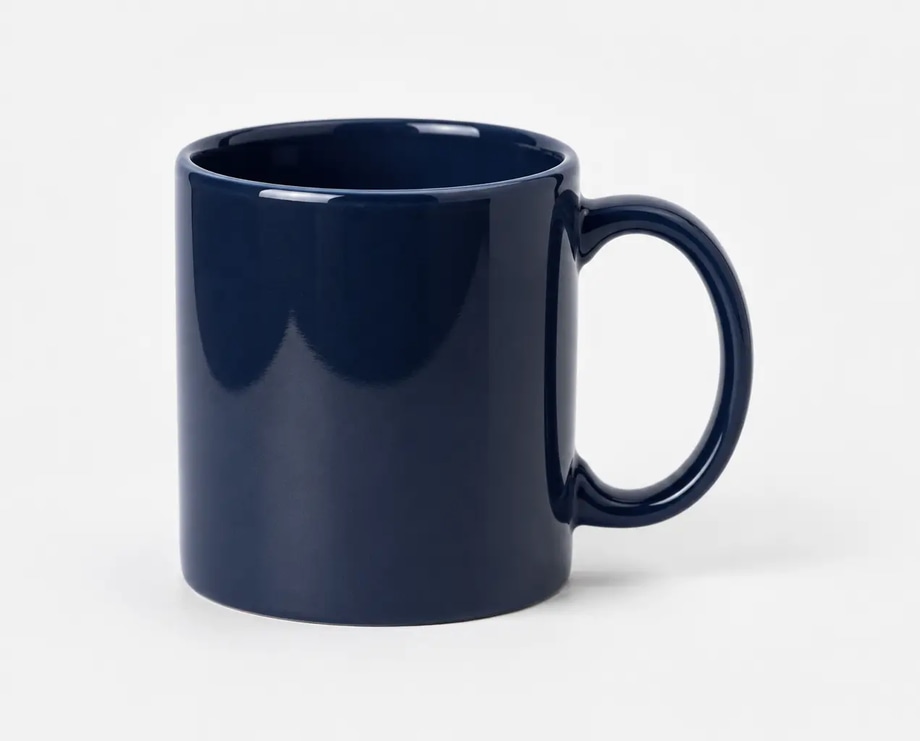
If the image is only being used for a quick concept, internal review, or low-priority draft, AI clipping path tools can be good enough.
That is really the key phrase here: good enough.
Where AI Background Removal Starts to Fall Apart
The problems usually show up when the image gets more demanding.
AI tends to struggle with:
- soft or fuzzy edges
- transparent or reflective surfaces
- shadows that need to be preserved carefully
- complex product outlines
- overlapping details
- areas where the subject and background are too similar in tone
This is usually where product cutout quality starts to slip.
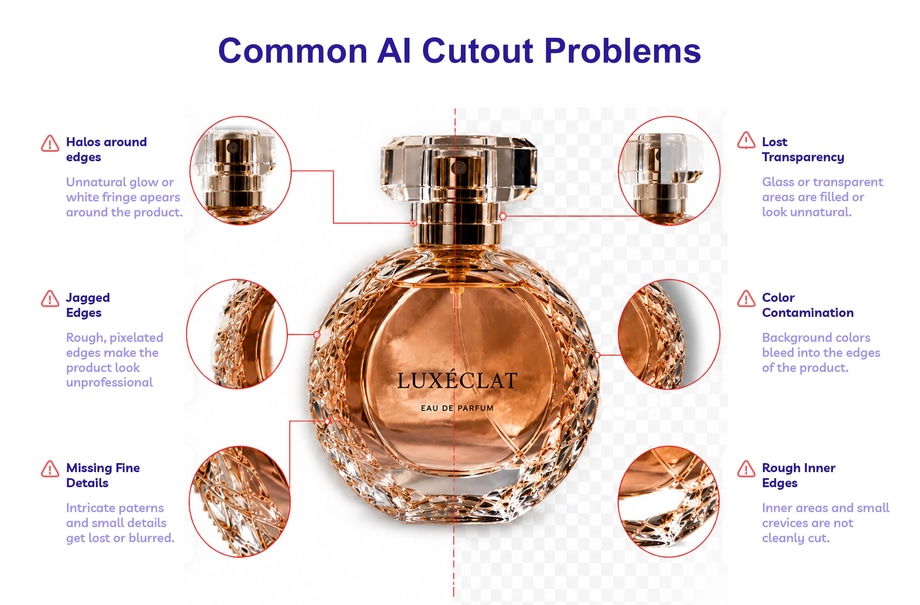
Instead of a clean edge, you get:
- jagged outlines
- clipped corners
- missing details
- halos
- flattened shapes
- parts of the product cut away by mistake
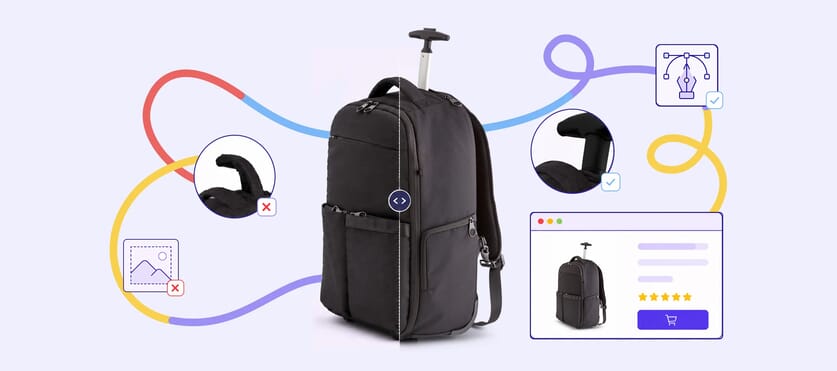
On a thumbnail, some of those issues may not look serious. On a product page, especially with zoom, they are much easier to spot.
Why Hand-Drawn Clipping Paths Still Look Better
A hand-drawn clipping path usually looks better because a human can make judgment calls that an automated tool cannot.
A retoucher can tell:
- where the real edge of the product is
- which details need to stay
- where a curve should be smoother
- when the cutout needs to look cleaner without looking fake
That is the difference between a cutout that is technically separated and one that actually looks ready to publish.
This is especially obvious in ecommerce. If a product edge looks rough, the whole image feels less professional. If the edge looks clean and natural, the image feels finished.
AI Clipping Path vs Hand-Drawn Clipping Path: The Quick Comparison
AI clipping path
- fast
- cheap or built into software
- useful for simple images
- weaker on edge precision
- less reliable on difficult products
Hand-drawn clipping path
- slower
- more precise
- better for ecommerce-ready images
- stronger on consistency
- better for products where edge quality really matters
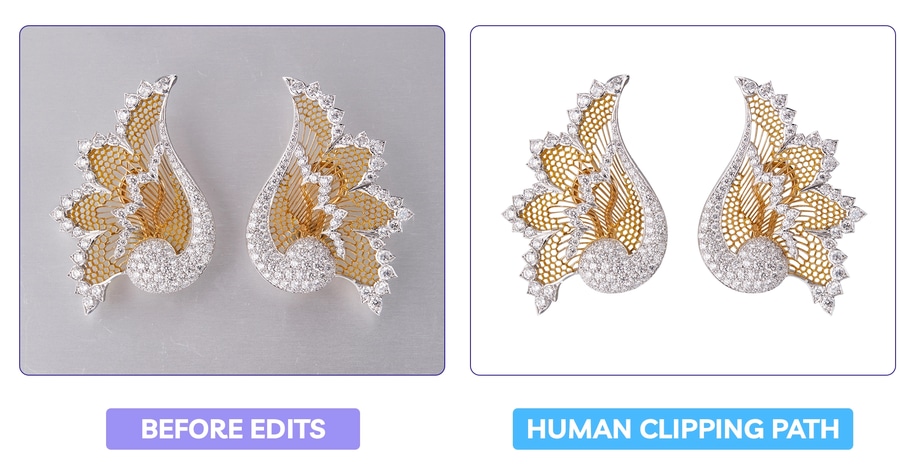
So the question is not whether AI can remove a background. It can.
The real question is whether the cutout still looks good once the image is live.
Which Should You Use?
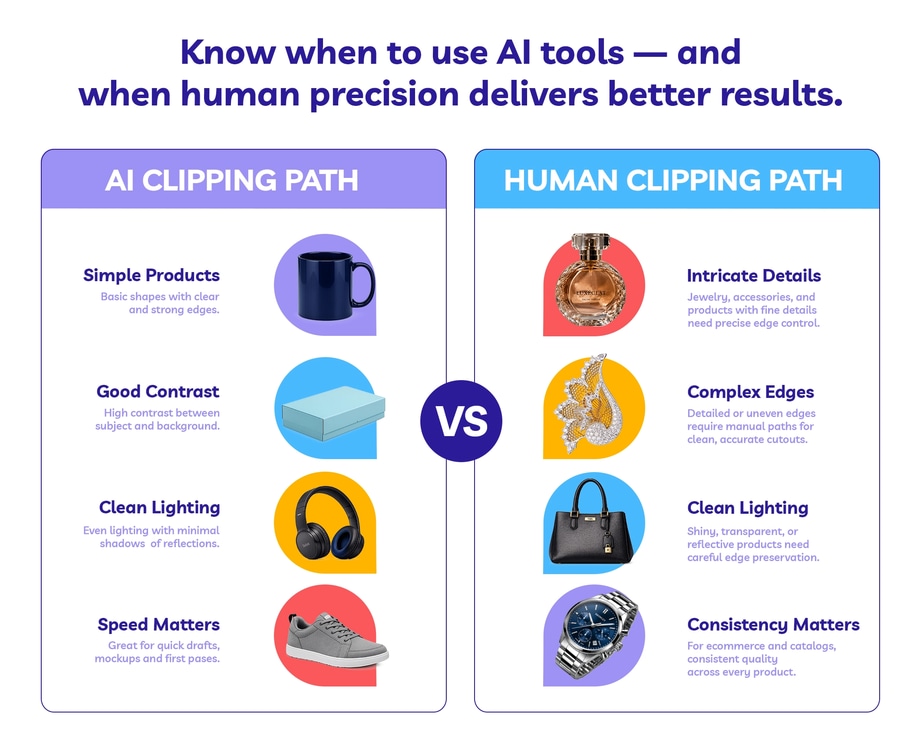
Use AI background removal when:
- the image is simple
- the cutout does not need to be perfect
- speed matters more than precision
- you are creating a draft or internal mockup
Use a hand-drawn clipping path when:
- the image is going live
- the product needs clean, accurate edges
- consistency matters across a batch
- you are preparing product photos for ecommerce or marketplaces
For most brands, that is usually the point where the choice gets easier. AI can help with speed. But hand-drawn clipping paths still give you the better finish.
So which gives better results: AI clipping path or hand-drawn clipping path?
AI tools are getting better, and for simple, low-priority cutouts they can be useful. But when the image is going live, edge quality and consistency matter. That is where the difference shows.
If you need a fast rough cutout, AI may be enough. If you need product images that look clean, consistent, and ready to sell, a hand-drawn clipping path is still the better option.
That is why so many teams still hand this work to human editors. Clean edges take time, and consistency across a batch is often the first thing a rushed cutout gets wrong.