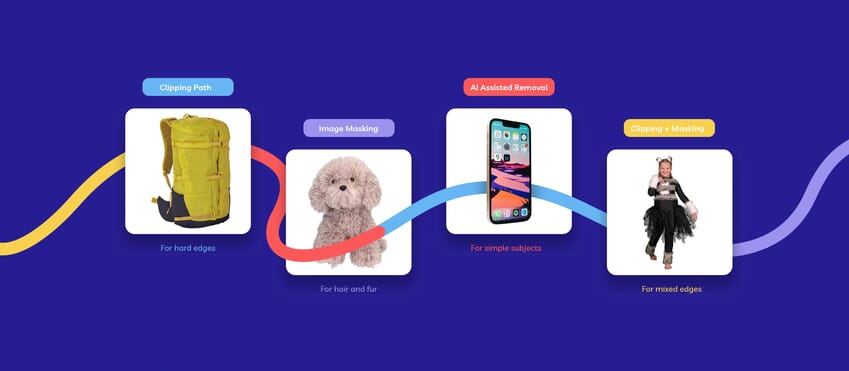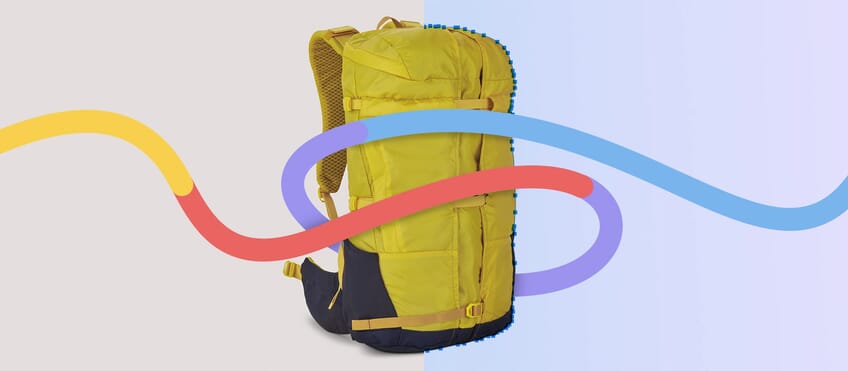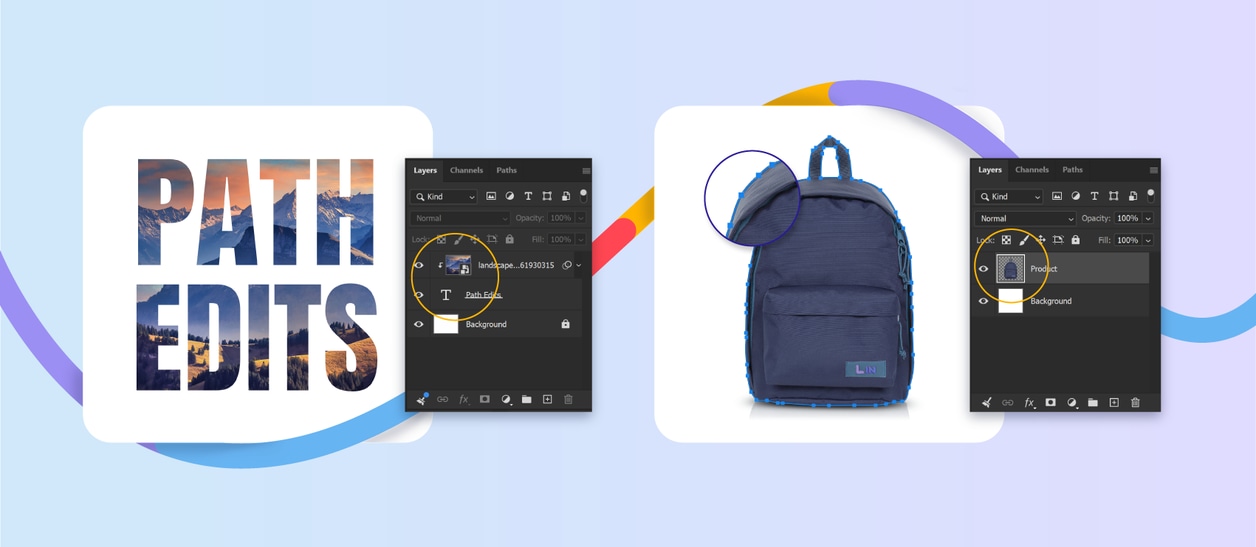
Clipping paths get most of the attention when people talk about clean cutouts. Fair enough. For product images on white backgrounds, they are often the right tool. But not every image needs clipping path services.
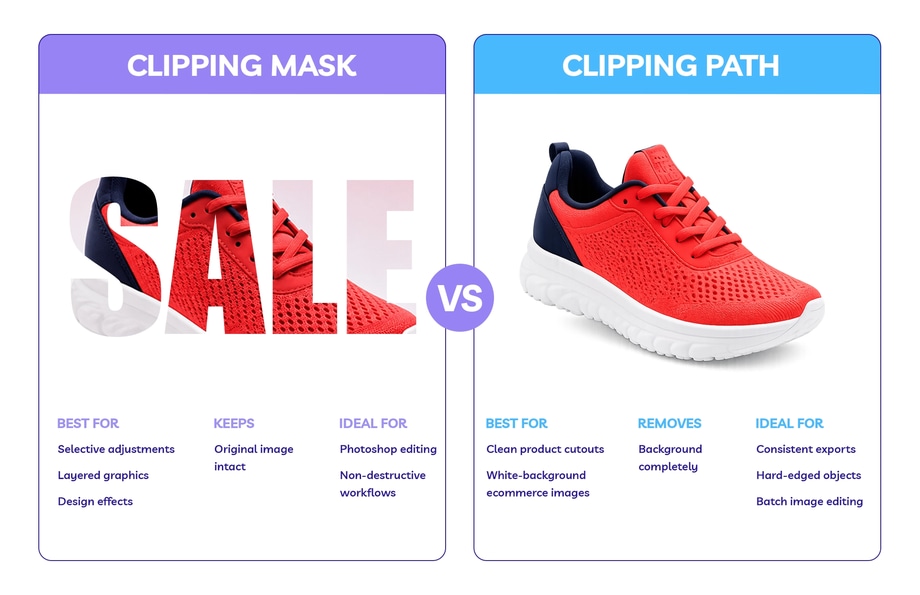
Sometimes a photo clipping mask is the better option. Not because it is more precise, but because it does a different job. A clipping path is built to isolate a subject. A clipping mask is built to control how one layer shows through another.
The difference between the two becomes much clearer once you are inside a real Photoshop file. If you are building a mockup, applying a texture, or limiting an edit to one part of an image, a clipping mask can be faster, cleaner, and much easier to revise. If you need a pixel-perfect edge cutout, though, a clipping path is usually the better choice.
What Is a Photo Clipping Mask?
A photo clipping mask is a Photoshop technique that makes one layer show only through the shape of the layer below it. The lower layer sets the boundary, and the layer above only shows inside that shape.
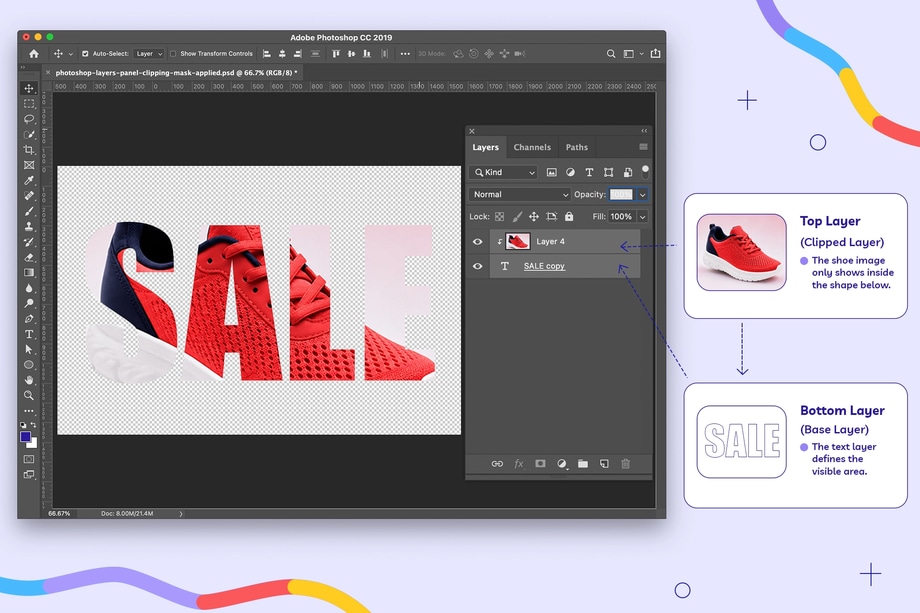
The benefit is flexibility. Instead of permanently cutting part of the image away, you can keep the file editable and change the design, adjustment, or layout later if you need to.
That is why clipping masks are useful for selective edits, mockups, layered graphics, and non-destructive Photoshop work.
How Is That Different From a Clipping Path?
Clipping masks and clipping paths are often confused because the names sound similar, but they are two very different techniques.
Clipping Path
A clipping path is a hand-drawn vector outline, usually created with the Pen Tool, and used to isolate a subject from its background. If you want to see how that works in practice, take a look at our step-by-step guide to creating a clipping path in Photoshop.
If you are trying to cut a product cleanly off its background and need edges that will still look right even under zoom, a clipping path is usually the better method.
Clipping Mask
A clipping mask is different. It is not a cutout method in the same sense, because it does not trace the outer edge of the product. Instead, it controls how layers interact inside the file.
So if you are trying to place a pattern onto a T-shirt mockup, add a texture inside text, apply a colour adjustment to one object only, or build a layered promotional graphic, a clipping mask often makes more sense than a clipping path.
When a Clipping Mask Works Better
A photo clipping mask works better when the job is less about isolation and more about control.
Mockups and design layouts
If you are placing artwork onto packaging, apparel, or print materials, a clipping mask keeps the file flexible. You can swap the design, move the layer, or test a different direction without redrawing anything.

Selective adjustments
If only one part of the image needs brightening, sharpening, or recolouring, clipping the adjustment layer is often the cleaner move.
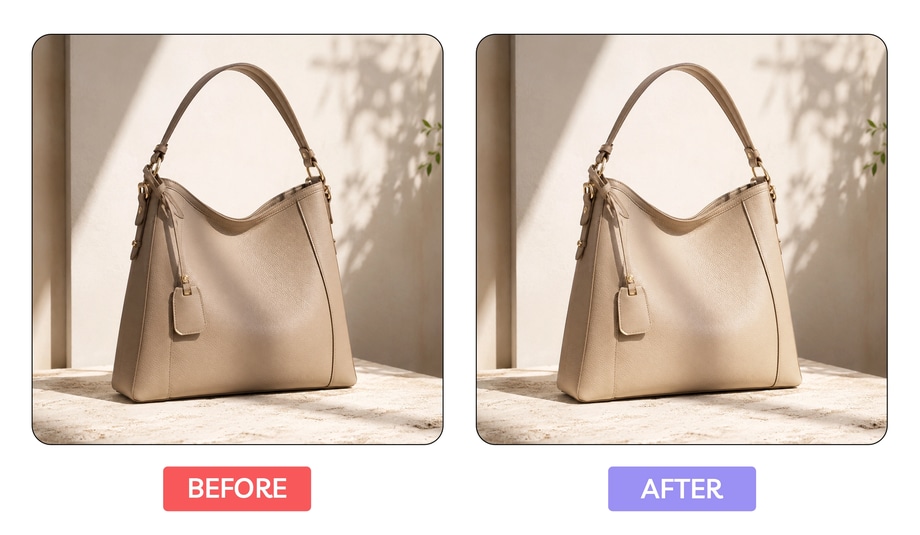
Layered Photoshop files
A clipping mask works well when the file is still in progress. It keeps edits reversible, which is useful when clients change their mind or a layout is still evolving. In these scenarios, clipping Photoshop workflows often make more sense with masks than paths.
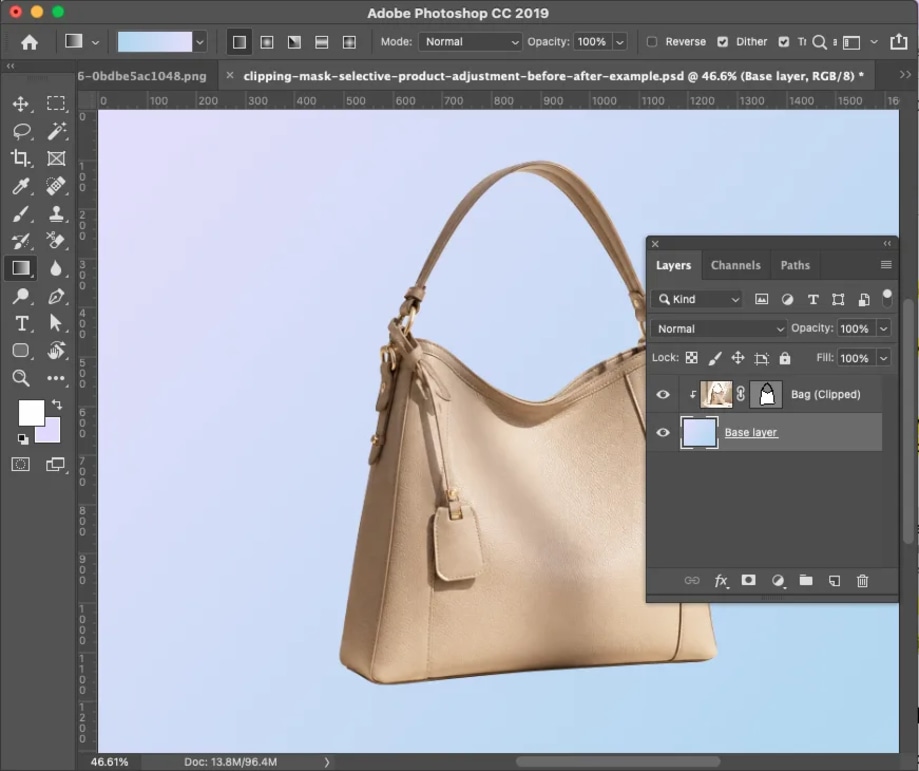
When a Clipping Path Still Makes More Sense
A clipping path is usually the better option when the image needs a clean, finished edge.
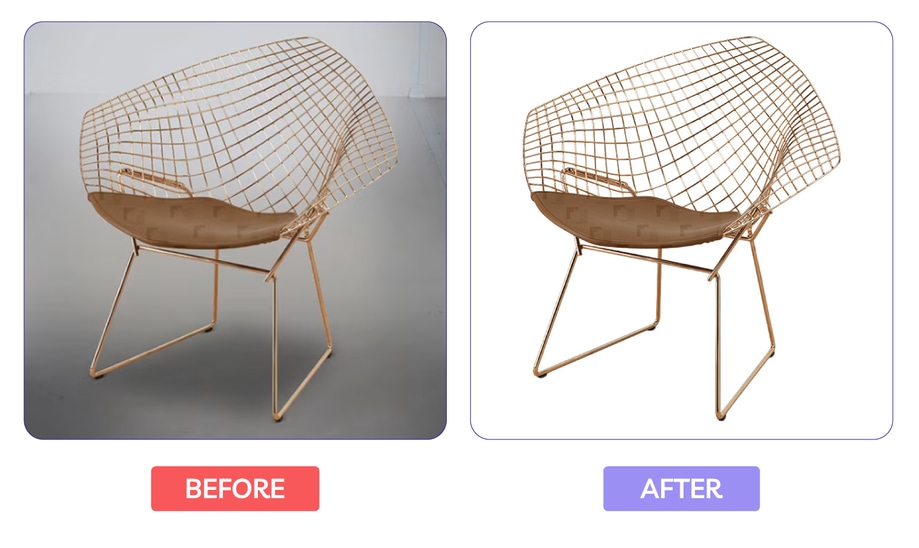
That includes:
- ecommerce product photos
- marketplace listings
- white-background cutouts
- batch product images that need consistency
- export-ready files for reuse
This is where clipping path vs masking becomes less theoretical. If the image is going live and the edge needs to hold up on zoom, a hand-drawn path is usually the safer call.
That is also why a clipping path service still makes sense for a lot of product image work. The cutout needs to look finished, not just separated.
What “Clipping Mask Image” Usually Means
When people use the phrase “clipping mask image,” they are not usually asking for a strict technical definition. More often, they are trying to work out why one image feels flexible and editable in Photoshop, while another feels more like a finished cutout.
The technique to use usually comes down to what the file needs to do next.
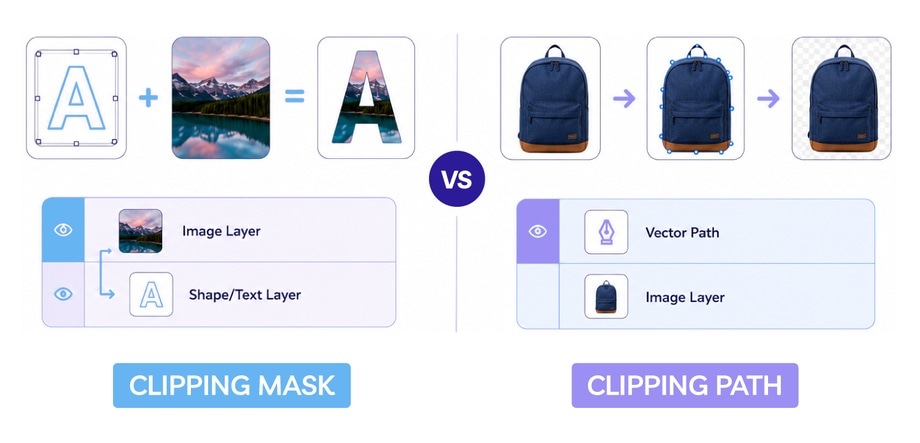
Which Should You Use?
If the file is still being built in Photoshop, a photo clipping mask usually makes more sense. It works well when the edit needs to stay flexible, when you are applying effects, textures, or local adjustments, or when the image is part of a mockup or layout.
A clipping path is usually the better choice when the subject needs to be cut out cleanly and used on its own. That becomes more important when the image is going live, edge quality matters, or consistency across a batch needs to hold up.
That is usually the simplest way to make the call.
What Happens When You Choose the Wrong One?
Usually, the problem shows up in the final result.
If you use a clipping mask where a clipping path was really needed, the cutout may still feel unfinished. The edge can look soft, awkward, or not quite clean enough once the image is exported and used on its own.
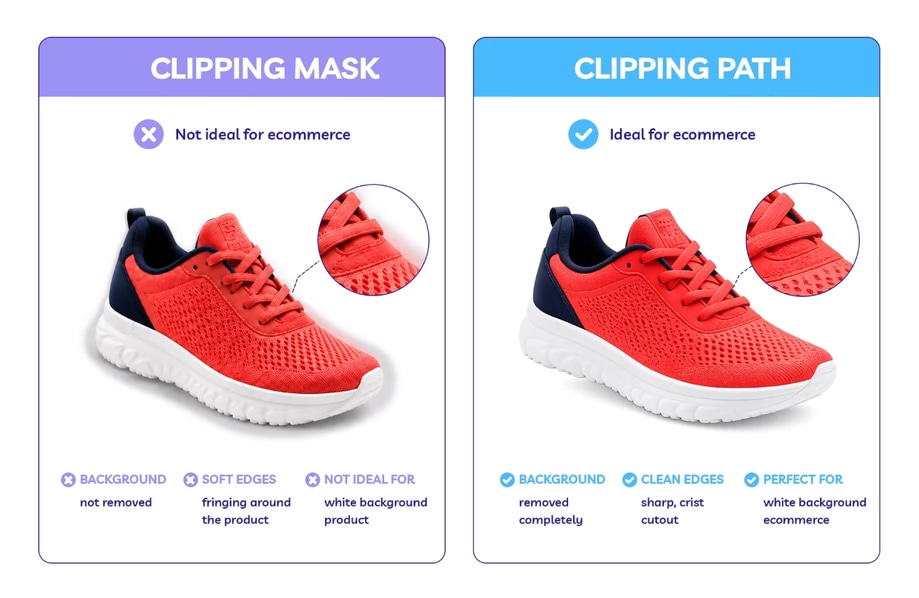
If you use a clipping path where a clipping mask would have made more sense, the file can become harder to edit than it needs to be. You lose flexibility, and simple design changes can turn into more work than they should.
That is usually the simplest way to sense-check your choice. If the image needs to stay flexible inside Photoshop, a clipping mask is often the better fit. If it needs to stand on its own with a clean, finished edge, a clipping path usually makes more sense.